Streams
to join,
not just watch

SEEY turns viewers into active participants with polls, challenges, auctions, giveaways, bets, and donations — all live. Viewers join from their smartphones via the Telegram Mini App, while you manage interactions from Seey Streamer.

AuctionsPollsBetsGiveawaysDonationsMultichat

0:000:00

What SEEY brings to your stream

  1. Interactions in one place

    Polls, challenges, auctions, giveaways, and bets — all managed from Seey Streamer.

  2. Viewers take part, not just watch

    Viewers watch where they prefer and use their phone to vote, donate, bet, and join giveaways.

  3. Crypto monetization

    Paid interactions create extra income: Stars are withdrawn straight to your TON wallet.

From install to interactive audience

The streamer runs Seey Streamer alongside the broadcast. Viewers join the interactive layer by scanning the QR code from their phone.

A viewer's phone becomes part of the stream

No download, no install, no sign-up — it's already on your phone. Scan the QR code from the stream and you're in the live show.

Co-watching and chat
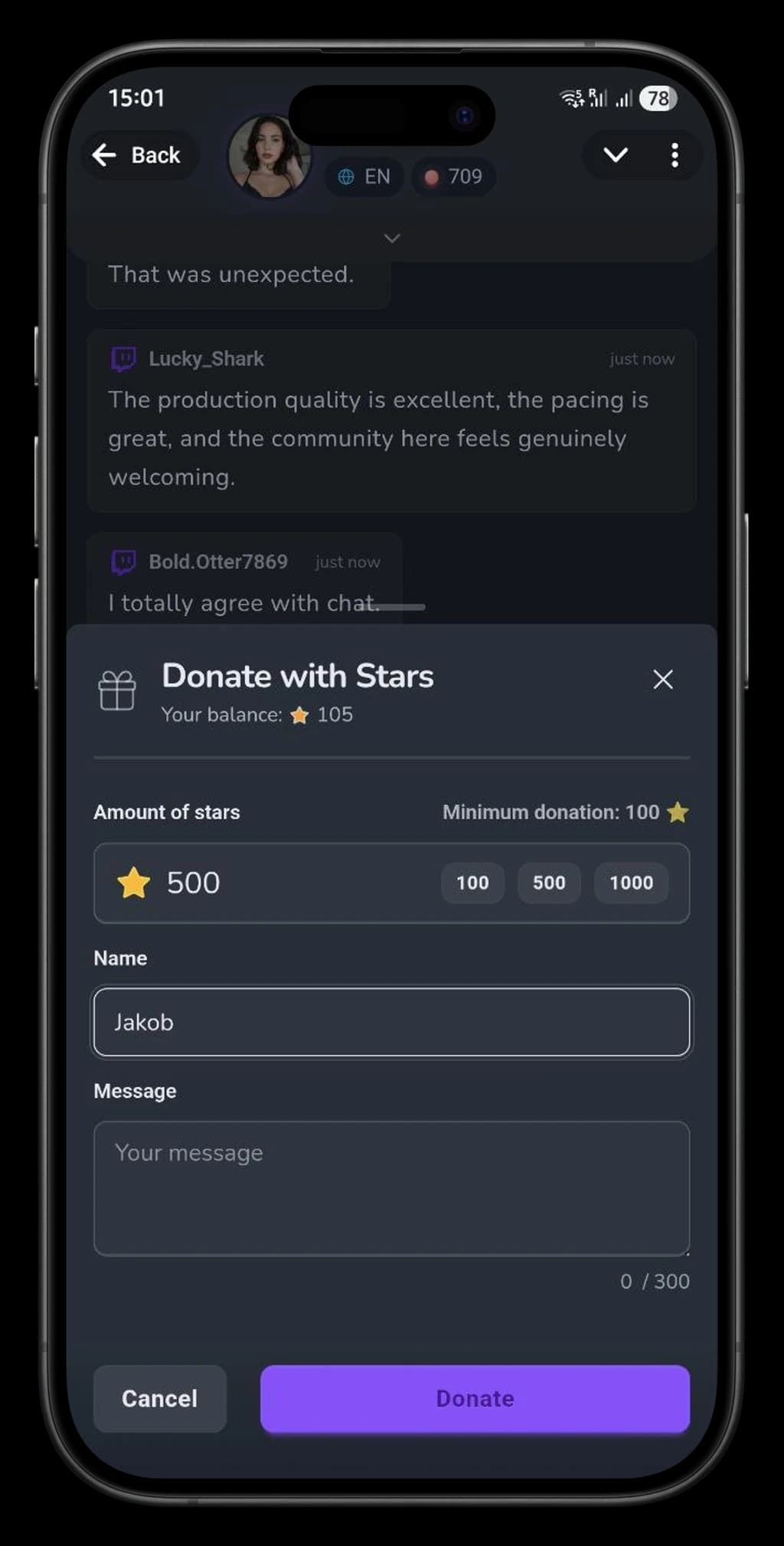
Donate with Telegram Stars
Chat reactions
Live stream

Join by QR code

A viewer scans the QR code on the Overlay and the right stream opens directly in Telegram.

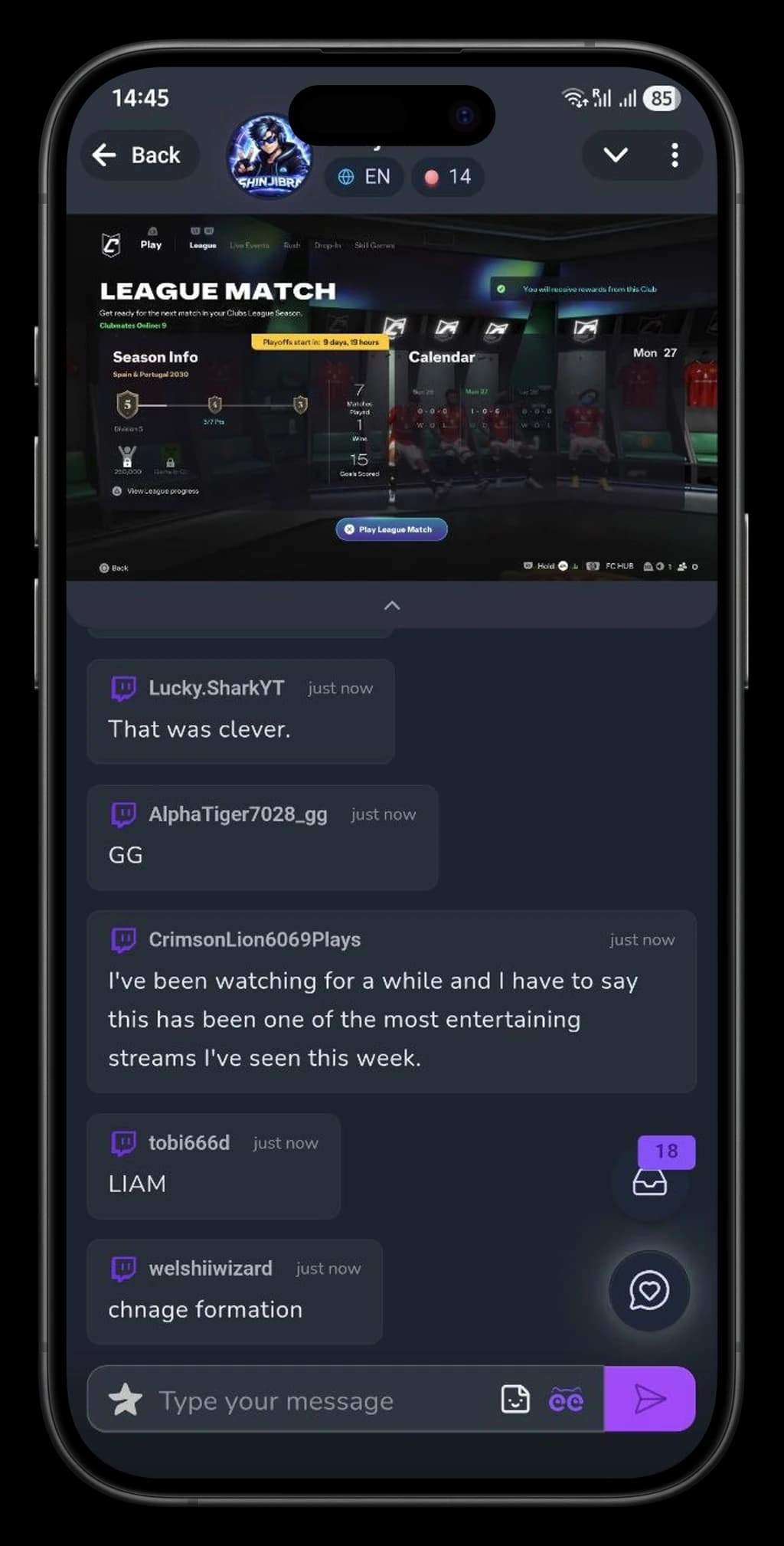
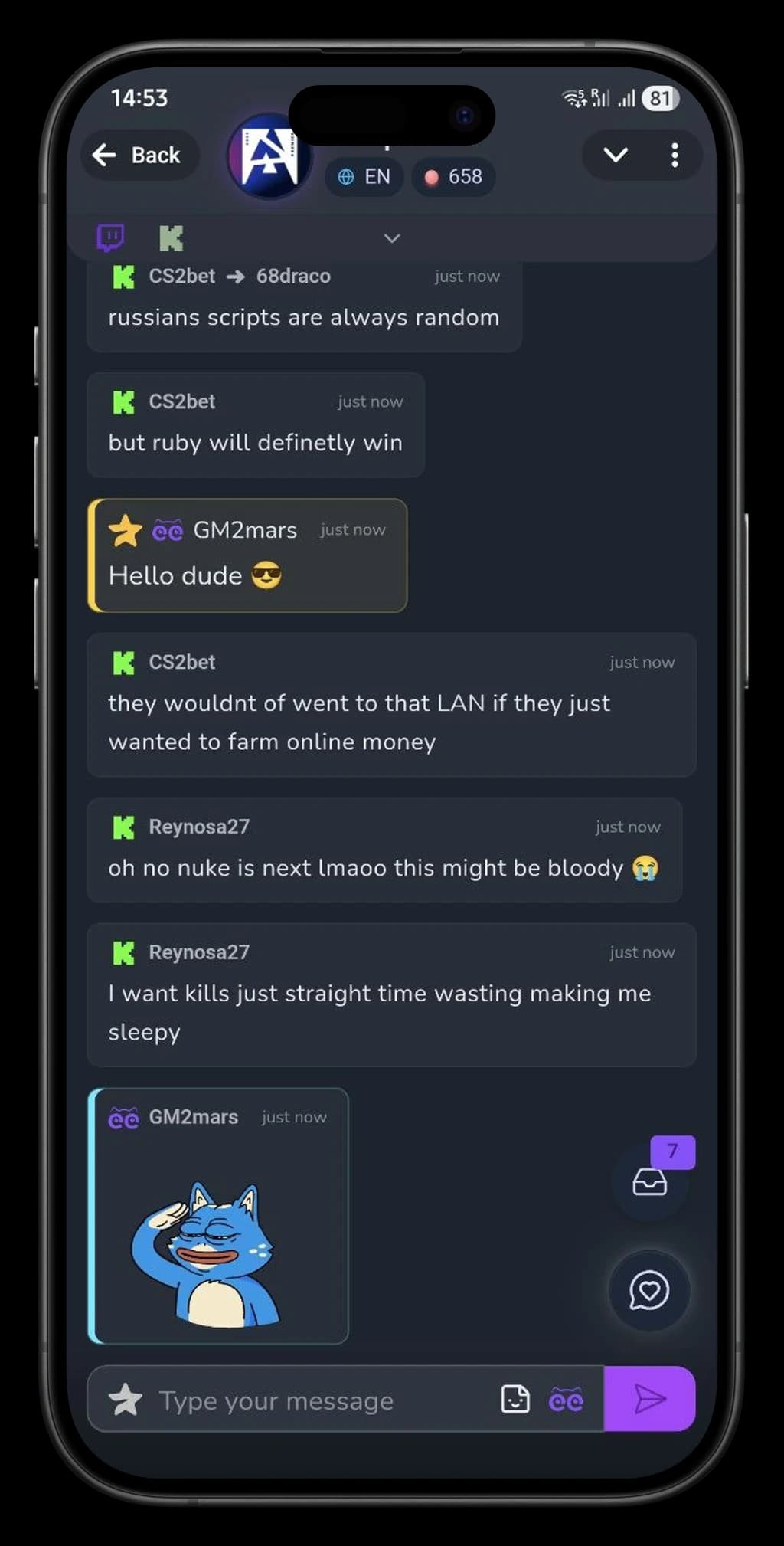
Unified chat

Messages from connected platforms appear in one feed; viewers can reply with stickers and reactions.

Live reactions

Emojis appear on the Overlay and give viewers an instant way to be noticed.

Donate with Stars

Support the streamer with Stars directly in Telegram — no separate payment form.

Star Messages

Highlight an important message in chat so the streamer and viewers notice it.

No new account

Telegram already confirms the viewer's identity, so they can join in right away.

One QR code, and the viewer is in

The Mini App opens inside Telegram: no separate download, account, or password required.

No installNo registrationScan a QR code
Open in Telegram

Engage your audience live

Polls, challenges, auctions, giveaways, and bets — viewers participate via the Telegram Mini App while you control everything from Seey Streamer.

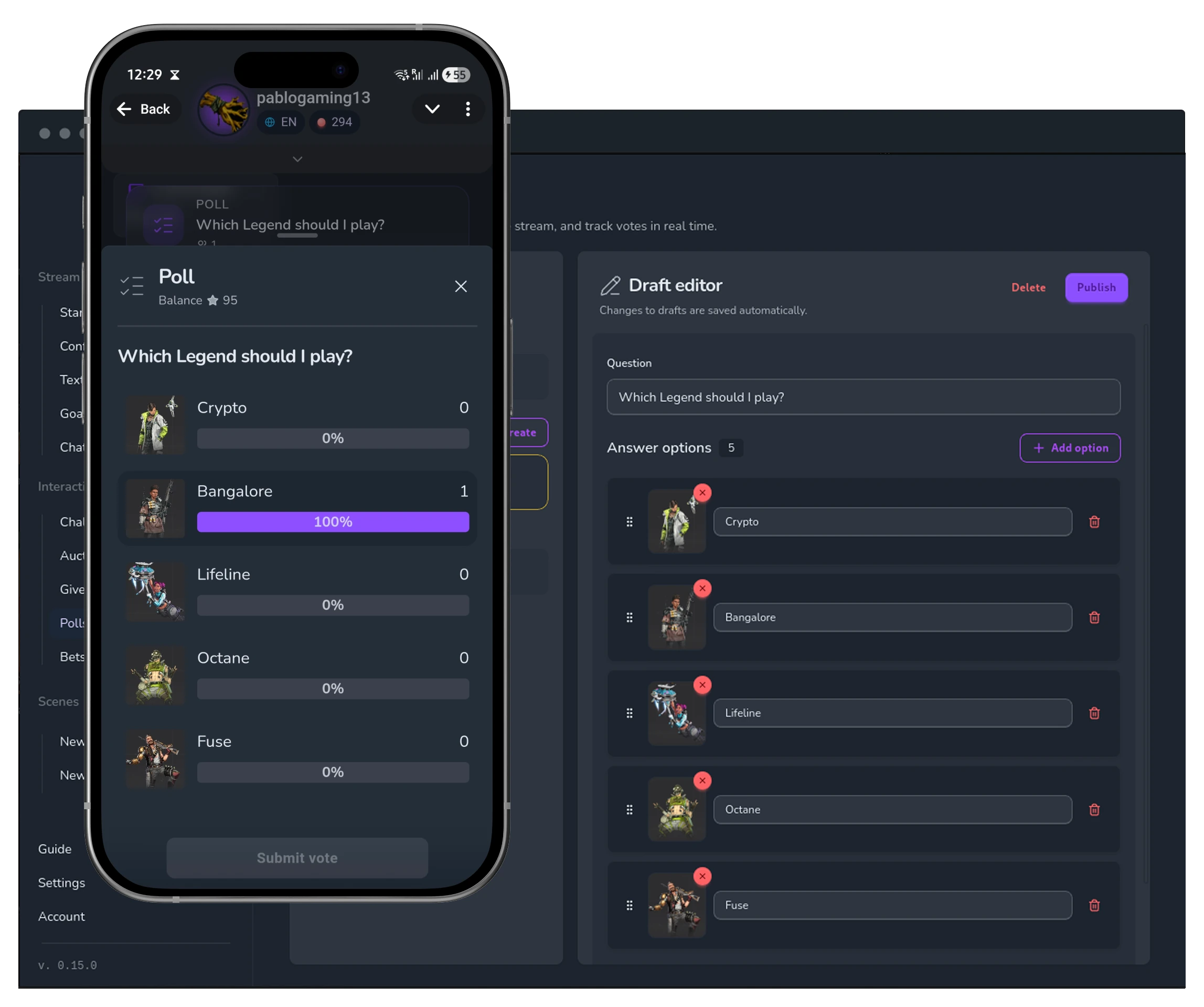
Polls

Polls

Publish a poll from Seey Streamer — viewers vote in Telegram. Set a participation cost and a timer.

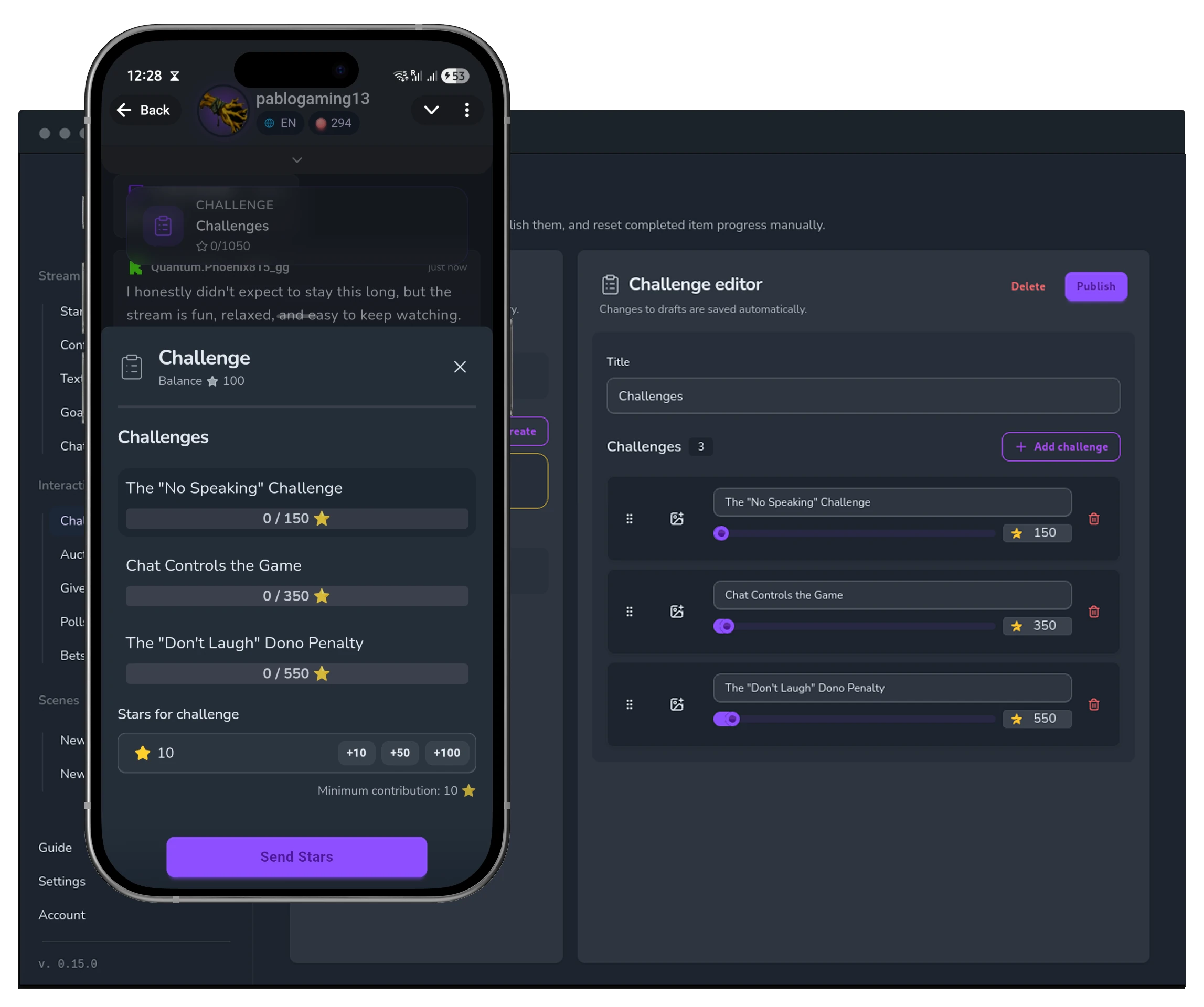
Challenges

Challenges

Create a challenge for your stream — viewers donate Stars so you complete it.

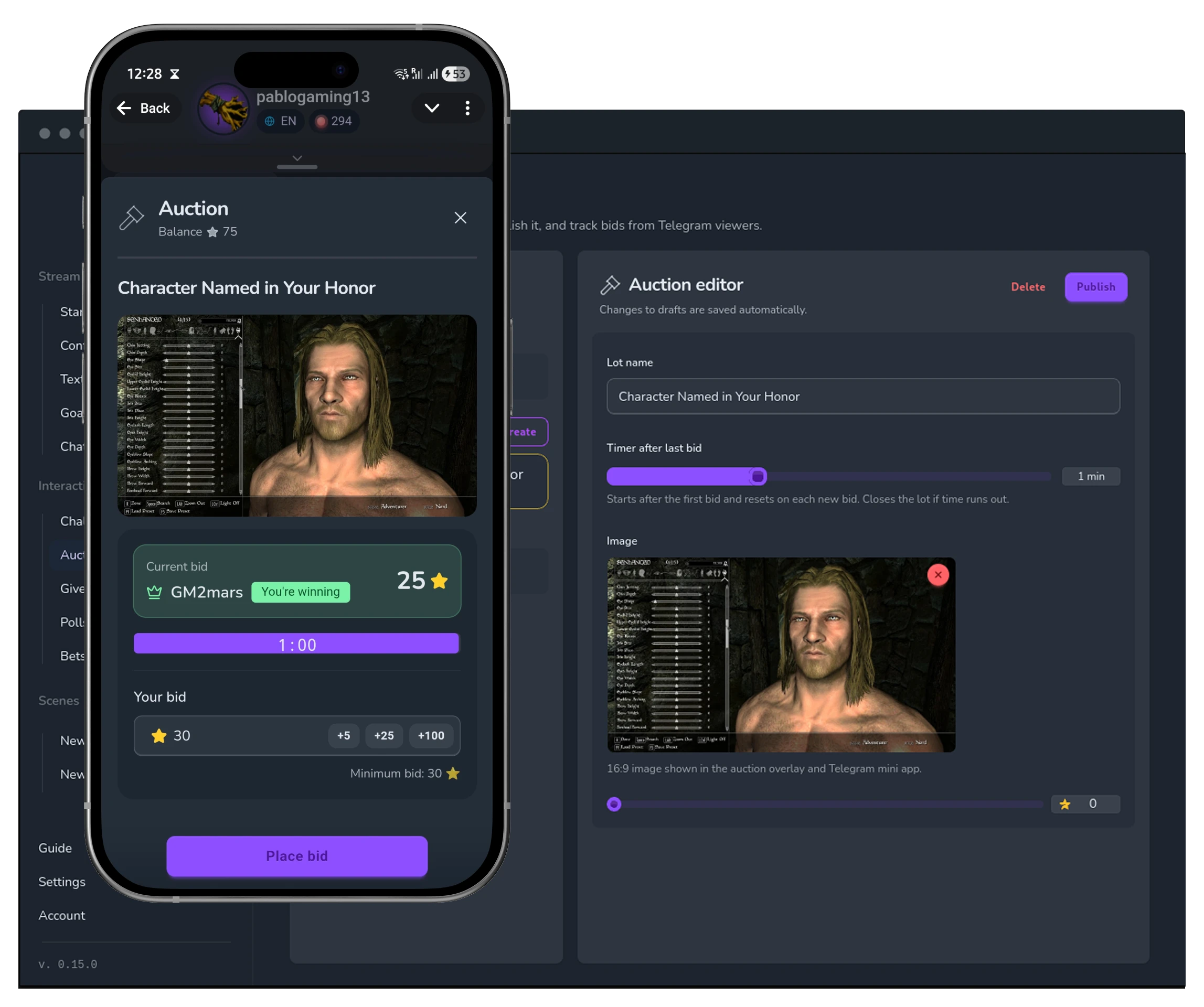
Auctions

Auctions

Create an offer and let viewers place bids with Stars in the app.

Giveaways

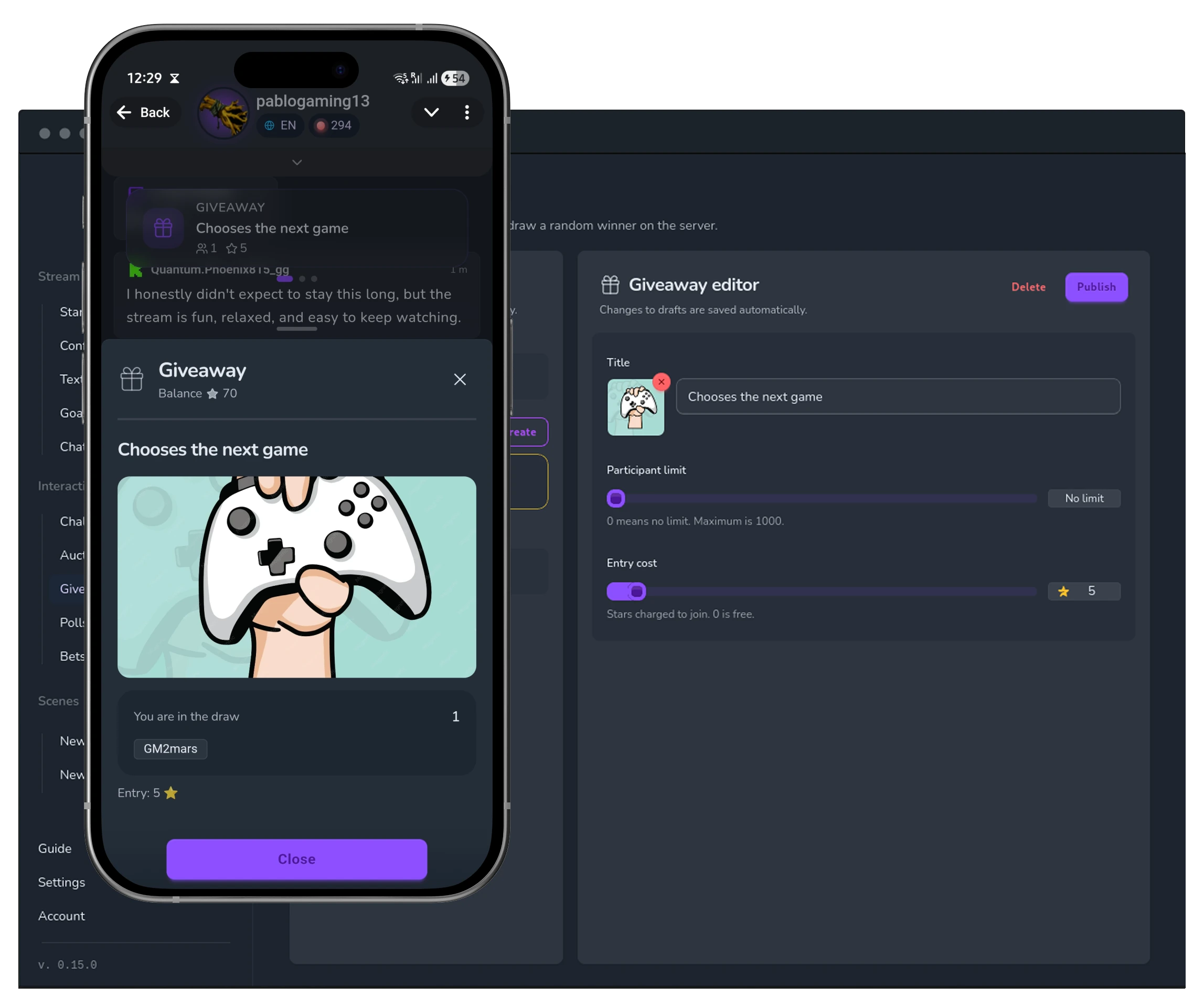
Giveaways

Viewers join a giveaway — the winner is picked at random from all participants.

Bets

Bets

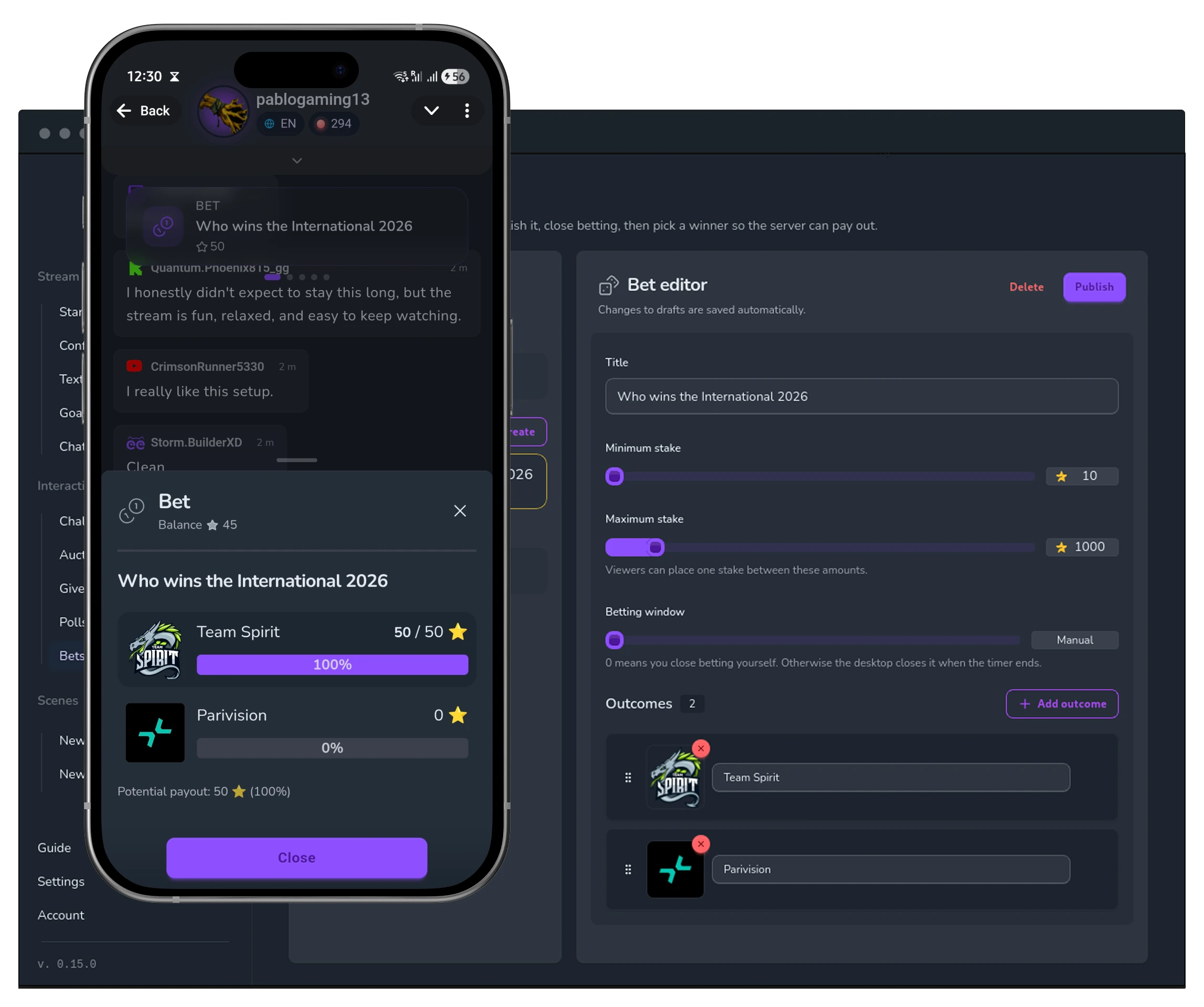
Organize a bet: viewers stake Stars. Losers forfeit their stake; winners split the pool.

Free is a full product. Pro is the full potential.

Free has everything you need to go live and engage viewers. Pro unlocks auctions, bets, analytics, and multiple scenes — plus a lower withdrawal fee.

Free

Everything to get started

0Starsforever

Enough to go live and start earning from your very first stream.

  • Telegram mini app for viewers
  • Widgets: multichat, donations, media, QR code, reactions
  • Interactions: polls, challenges, giveaways
  • One scene with your own widget set
  • Shared stickers in chat
20% fee on withdrawals
Pro

More engagement, more flexibility

1 000Starsper month

Auctions, bets, analytics, and multiple scenes — for streamers who need more.

Everything in Free, plus
  • Auctions

    Create offers and let viewers place bids with Stars in Telegram.

  • Bets

    Organize bets — winners split the losers' pool.

  • Multiple scenes

    A dedicated widget set for every kind of stream.

  • Stream analytics

    Viewer, donation, and engagement metrics.

10% fee on withdrawals

Pay for Pro with Stars from your Seey balance — cancel any time.

Let viewer participation create additional income

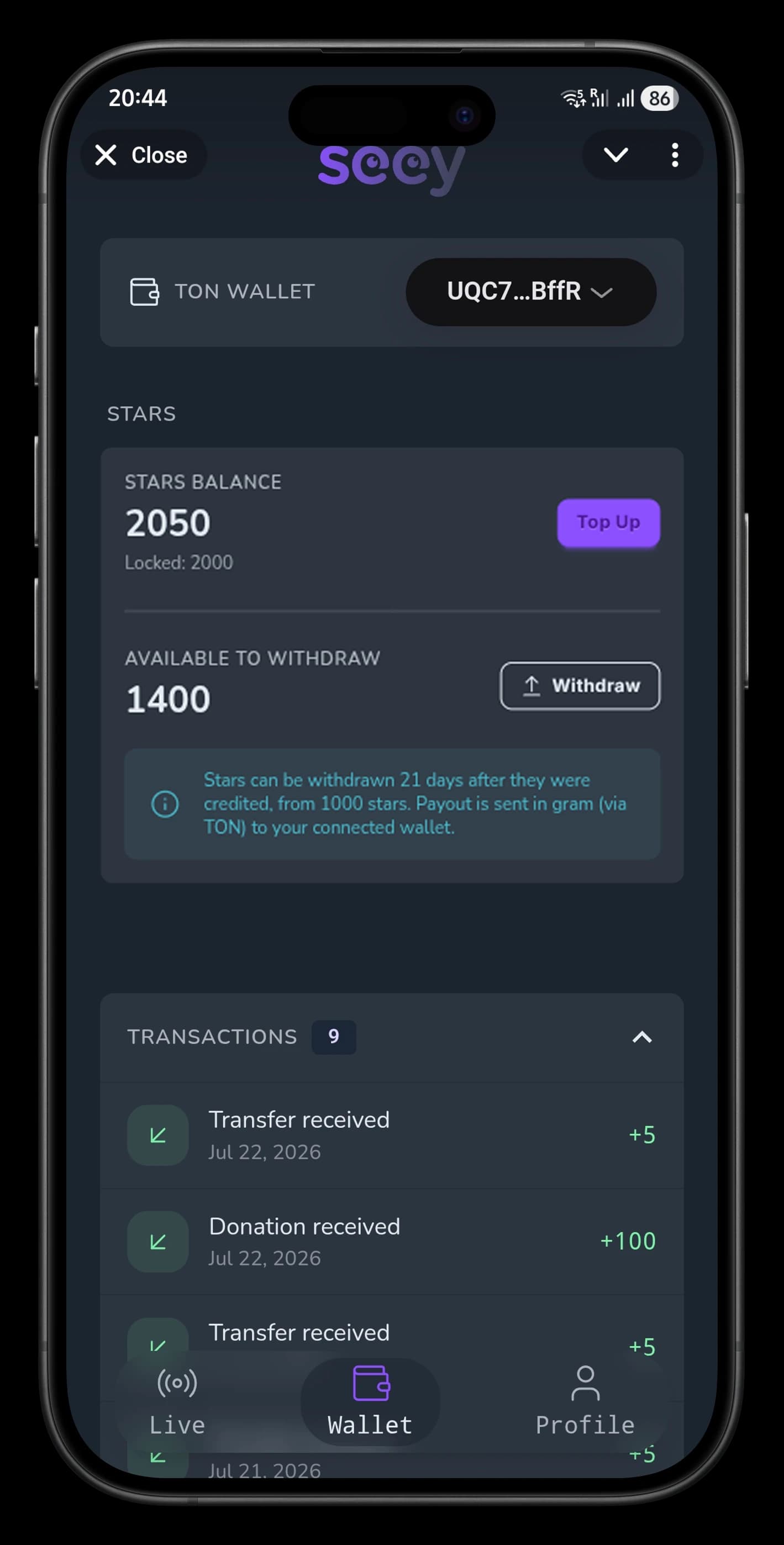
Viewers spend Telegram Stars on donations and paid interactions. Income accumulates in SEEY, and available funds can be withdrawn to a TON wallet.

  1. Viewers take part

    Donations, polls, bets, auctions, and giveaways — during the stream and in the Telegram they already use.

  2. Stars accumulate in SEEY

    See your balance and the amount available for withdrawal in Wallet.

  3. Withdraw to your TON wallet

    Connect a TON wallet and request a withdrawal of your available balance from the app.

Download SEEY Streamer

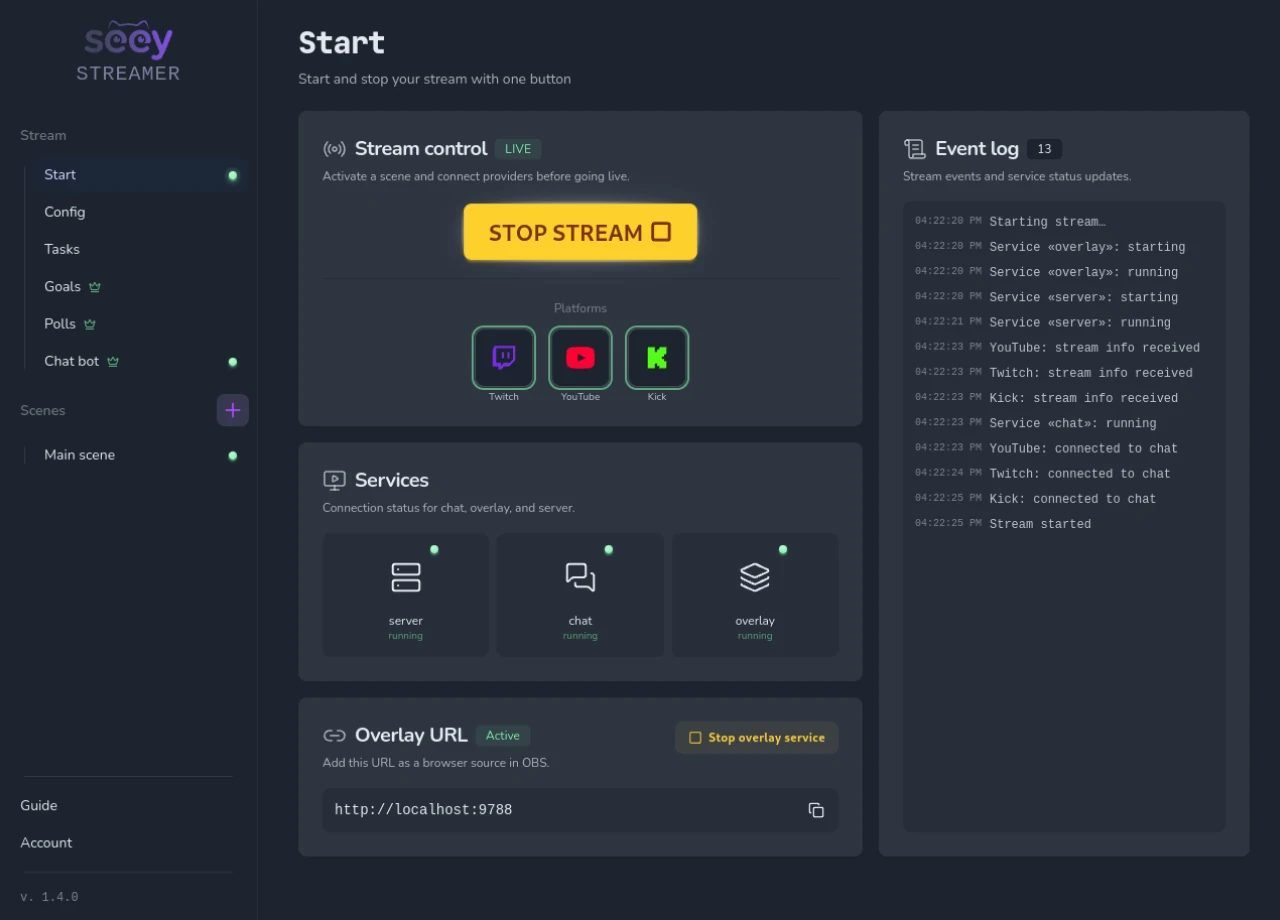
Scenes, widgets, Multi Chat, and interactions in one lightweight Desktop Client. Download it free and connect your usual setup.

  • Free
  • Sign in with Telegram
  • Lightweight
First launch on Windows or Mac
SEEY Streamer desktop app — live stream control

Frequently Asked Questions

Everything about setup, viewer engagement, Telegram, and monetization

About SEEY3

What is SEEY?

SEEY is a cross-platform engagement platform for streams. In one Desktop Client, you manage your Overlay, unified chat, and interactions, while viewers participate through a Telegram Mini App. Your video stays on the streaming platform you already use.

Does SEEY replace OBS, Twitch, YouTube, or Kick?

No. OBS remains your video tool, while Twitch, YouTube Live, and Kick remain your streaming platforms. SEEY complements this setup by adding an Overlay, Multi Chat, and a unified way for viewers to participate.

Which streaming platforms does SEEY support?

SEEY works with Twitch, YouTube Live, and Kick. In particular, Multi Chat combines messages and events from connected platforms into one feed; support for individual capabilities depends on the platform.

Why Telegram?3

Why does SEEY use Telegram instead of a separate mobile app?

Telegram is already installed for many viewers. A QR code opens the Mini App directly inside it: there is no need to download another app, create a separate account, or remember a password.

How does Telegram make it easier for viewers to join?

Telegram provides a ready-made sign-in system. Viewers only need to open the link or scan the QR code—they are already signed in to their Telegram account.

What does Telegram's built-in economy provide?

Telegram Stars let viewers support the streamer and take part in paid interactions directly in the Mini App. No separate payment registration is required.

Getting started4

What do I need to start streaming with SEEY?

Install the Desktop Client, connect the platforms you need, create a scene with widgets, and add the Overlay link to OBS as a browser source. Then start your stream and show viewers the QR code.

Do viewers need to install or register for anything?

No. A viewer scans the QR code on the Overlay or opens the link—the Telegram Mini App launches inside Telegram, and they can participate immediately. Telegram must be installed to take part.

What can viewers do in the Telegram Mini App?

Vote, join challenges, place bets, bid in auctions, enter giveaways, chat, send reactions, and donate. Their smartphone becomes a second screen for participating in the stream.

What is an Overlay, and how does it work with OBS?

An Overlay is a web page with your widgets—for example, chat, a QR code, reactions, a poll, or alerts. Add it to OBS as a browser source and place it in your scene without replacing your usual streaming workflow.

Installing the app2

Windows or macOS asked me to confirm before opening SEEY. Is that normal?

Yes. The first time you open SEEY, Windows and macOS ask you to confirm — they do this for independent apps they have not seen before. It is a publisher check, not a warning about SEEY itself. Windows: open SEEY, choose More info, then Run anyway. macOS: move SEEY to Applications and open it. If the system stops you, click Done, go to System Settings → Privacy & Security, find seey-streamer, and choose Open Anyway. After that, SEEY opens as usual.

How do I install SEEY on Linux?

Download the .deb package (Debian, Ubuntu) or the .rpm package (Fedora, RHEL), open it, and install. Linux builds do not auto-update yet — when a new version is out, download it and replace the previous package.

Interactions and monetization3

Which interactions are available to viewers?

Polls, challenges, giveaways, auctions, and bets — viewers participate via the Telegram Mini App. You choose which interactions to enable for each stream.

How do Telegram Stars work in SEEY?

Stars are used for optional paid interactions: donations, Star Messages, paid votes, and contributions to tasks. They accumulate in the streamer's Wallet. The availability period for funds and withdrawal terms are determined by Telegram's rules.

What is included in the Pro subscription?

Pro unlocks auctions, bets, stream analytics, and multiple scenes, and lowers the withdrawal fee to 10%. Polls, challenges, and giveaways are available to all users.

Security and control2

Is it safe to connect my streaming accounts?

Yes. SEEY uses the official OAuth flows of supported services. Your passwords are never shared with SEEY, and long-lived authorization data is stored in an isolated internal service.

Can I control interactions and chat?

Yes. The streamer configures scenes, widgets, available interactions, and their settings. Moderation helps keep the community safe and comfortable during a stream.